A TubeMagic review is what you type into Google after you have spent another Sunday night staring at a blank script document, wondering why a 12-minute video takes four hours to plan.
That is the exact problem TubeMagic is built around. It is an AI dashboard that handles the writing and optimization side of running a YouTube channel: scripts, titles, descriptions, tags, and thumbnails, all in one place instead of five different tools or a blank Google Doc.
I went through the actual sales page, the pricing page, and the affiliate materials to see what you are really paying for before you hand over a subscription.
What Is TubeMagic?
TubeMagic is an AI-powered dashboard built specifically for YouTube creators, not a general-purpose writing tool repurposed for video. Every feature inside it maps to a step in publishing a video: coming up with the idea, writing the script in your own voice, generating the title and description, building a thumbnail, and tagging it for search.
The vendor states the platform has generated over 200,000 scripts, which is a usage figure from TubeMagic itself, not an independently audited number.
How Does TubeMagic Work?
You start by giving TubeMagic your channel’s niche and, according to the vendor’s materials, a sample of your existing content or a description of your voice and tone. From there, each tool inside the dashboard is built to match that voice rather than producing generic, one-size-fits-all copy.
The platform runs on a mix of AI models, including Claude and GPT-4o depending on your plan, rather than a single in-house model. You pick a tool (script writer, title generator, thumbnail generator, and so on), give it a topic or a URL to work from, and it returns a draft you edit before publishing.
It is worth being clear about what this is not: TubeMagic does not record, edit, or upload video for you. It handles the words and the metadata around the video, not the video itself.
What’s Inside
The dashboard is organized around individual tools rather than one linear workflow. Here is what the Premium plan includes, based on the vendor’s own feature list:
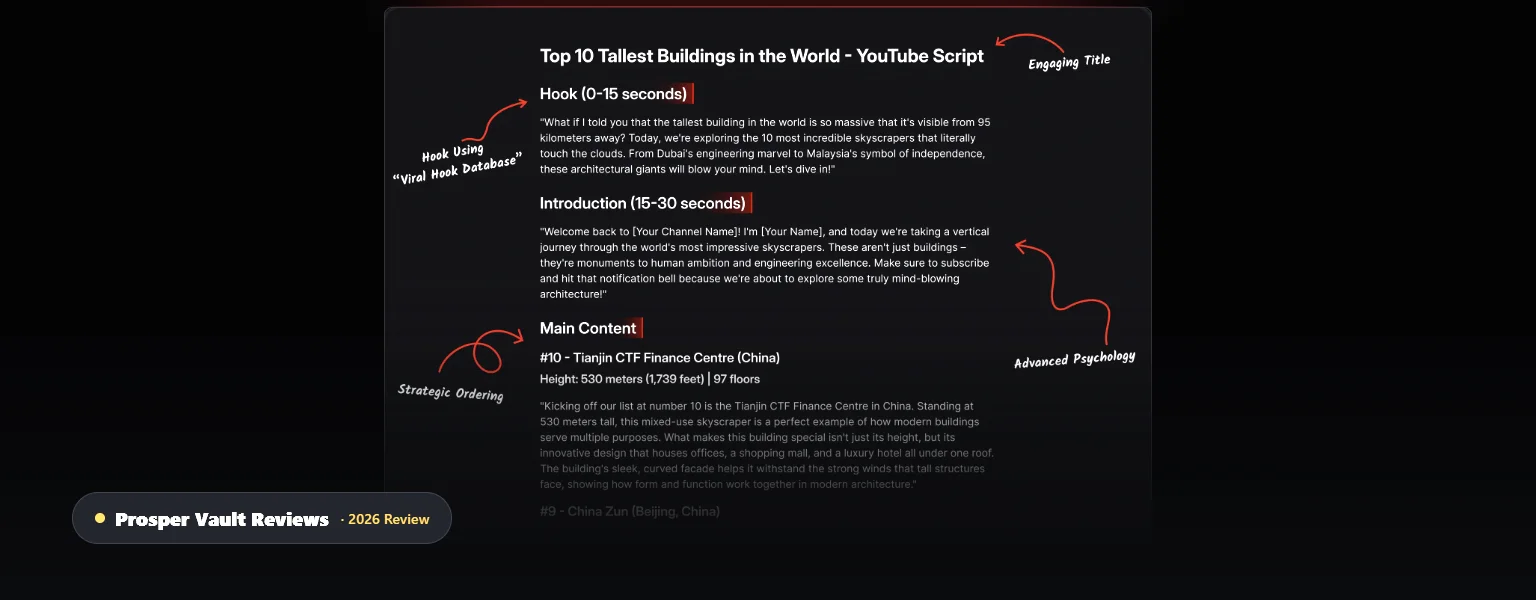
Generates a full video script matched to your stated brand voice, including an article-to-script converter for turning existing written content into a video format.
Produces upload-ready metadata, with SEO optimization the vendor claims covers 95+ languages. I have no independent way to verify quality across every language, only that the option exists.
Creates thumbnail concepts from a prompt. Treat this as a starting point for a designer or your own editing pass, not a finished, click-tested thumbnail.
Aimed at people planning a new channel rather than optimizing an existing one, useful for keyword research around a niche before you commit to it.
Standard credits run on faster, cheaper models for everyday use, up to 100 generations a day per tool. Premium credits (500 a month) unlock stronger models like Claude Opus for more demanding scripts.
Pricing and the Guarantee
TubeMagic keeps this simpler than most launch-style products in this space: one plan, not a funnel of upsells you only discover after paying.
Premium plan: $41 a month, or $497 a year, which works out to roughly 20% cheaper than paying monthly. Every tool is unlocked on this single plan, so there is no separate “basic” tier missing features.
That price includes up to 100 standard-model generations a day per tool, plus 500 premium-model credits a month for the stronger AI models. Extra premium credits can be purchased separately if you regularly run out before the monthly reset.
There is no free trial at the time of writing, but TubeMagic backs every subscription with a 30-day money-back guarantee, refunded by email request according to the vendor’s terms. There is also no lifetime deal option, so budget for this as an ongoing monthly cost, not a one-time purchase.
About the Vendor
TubeMagic is built by TubeMagic LLC, founded by Priyam Raj. The product previously operated under the name Morise.ai before rebranding, which is a checkable history rather than a brand-new, anonymous storefront. According to the vendor’s own marketing, creators including Matt Par and a YouTuber named Randolph (cited at 1.2 million subscribers) have endorsed the tool. I want to be clear that these are the vendor’s cited endorsements, not creators I personally confirmed, and Matt Par is credited here as a user and endorser of TubeMagic, not as its founder or creator.
Who Is It For?
TubeMagic makes the most sense for creators who already publish on a regular schedule and feel the writing and optimization side eating into their week. If you are running a faceless channel or managing more than one channel, having scripts, titles, and thumbnails come out of one dashboard instead of stitching together five tools is a real time saver.
Who probably should not buy it: anyone expecting a tool that produces a finished, ready-to-upload video with zero editing. TubeMagic writes and optimizes, it does not film, edit, or voice your content for you. If you post rarely, the $41 monthly cost is hard to justify next to a pay-as-you-go AI writing tool.
Pros & Cons
Pros
- One dashboard covers script, title, description, tags, and thumbnails instead of juggling separate tools
- Single pricing tier, no hidden upsell funnel to work through after paying
- 30-day money-back guarantee gives you real time to test it against your own workflow
- Access to multiple AI models rather than being locked to one
Cons
- $41 a month (or $497 a year) is an ongoing cost, not a one-time purchase, and there is no lifetime deal
- Premium-model credits are capped at 500 a month; heavy users may need to buy more
- It drafts scripts and metadata, it does not edit, voice, or upload your video
- No free trial currently offered, so the guarantee is your only way to test it risk-free
Is TubeMagic Worth It? My TubeMagic Review Verdict
TubeMagic does what it says on the label: it takes the scripting, titling, and optimization work off your plate and hands you a draft in your own voice instead of a blank page. For a creator already publishing consistently, that is a real time savings, not just a hype claim.
The single, transparent pricing tier is a genuine point in its favor in a space full of launch funnels with upsells stacked behind the entry price. The tradeoff is that $41 a month is a real recurring cost, and it only pays for itself if you are actually publishing often enough to use it.
Risks and What to Watch Out For
- Output still needs a human pass. Independent user reviews describe some outputs as closer to a “content reformatter” than a finished script, treat the first draft as a strong starting point, not a final product.
- Premium credits can run out. Heavy publishers may hit the 500 monthly premium-model cap and need to buy additional credits, which changes the real monthly cost.
- Usage and endorsement figures are vendor-reported. The 200,000-scripts figure and the creator endorsements come from TubeMagic’s own marketing, not an independent audit.
- No free trial. You are committing to a card charge upfront and relying on the refund process if it is not a fit, rather than testing free first.
FAQ
Is TubeMagic legit?
Yes. It is a functioning SaaS product from an identifiable company, TubeMagic LLC, previously known as Morise.ai, sold through Digistore24 with a 30-day money-back guarantee. That does not guarantee it fits your specific workflow, but it is a real, checkable business rather than an anonymous offer.
How much does TubeMagic cost?
$41 a month, or $497 billed annually, which is about 20% cheaper over a year. That single plan includes every tool, there is no separate cheaper tier with fewer features.
Do I need to disclose that my script was written by TubeMagic?
According to YouTube’s own policy on altered or synthetic content, using AI for production assistance such as scripts, thumbnails, or outlines does not require a disclosure label. The disclosure requirement applies to realistic, synthetic depictions of real people or events, not to AI-assisted writing tools like this one.
Does TubeMagic edit or upload my videos for me?
No. TubeMagic handles the writing and metadata side, scripts, titles, descriptions, tags, and thumbnail concepts, not video recording, editing, or publishing. You still need your own recording and editing setup.
Is there a free trial or lifetime deal?
No free trial is available at the time of writing, and there is no lifetime deal option. Your only risk-free option is the 30-day money-back guarantee on either the monthly or annual plan.
Related Reading
- PodShorts Review 2026: Is It Worth the Price Tag?
- The ClickBank Profit Club: What You Actually Get for Free (and Where It Starts Costing)
My Take
TubeMagic is a genuinely useful tool for a creator who is already publishing and wants the scripting and optimization side to move faster, with one honest price instead of a maze of upsells. It will not build your channel for you, and $41 a month only makes sense if you are actually using it every week. The 30-day guarantee makes it a low-risk way to find out.
→ Visit TubeMagic’s Official Site →30-day money-back guarantee · Affiliate disclosure
This review is for informational purposes only and is not financial, investment, or business advice. Always do your own research and consult a licensed professional before making financial decisions. Some links on this page are affiliate links; see our Affiliate Disclosure for details.